

Pesaswap Control Center: Connector Management Guide
Steps to Activate Connector on the Pesaswap Control Center
1. Access Connectors Section
- Navigate to the Connectors section on the Control Center
- Select the desired connector using the + Connect button
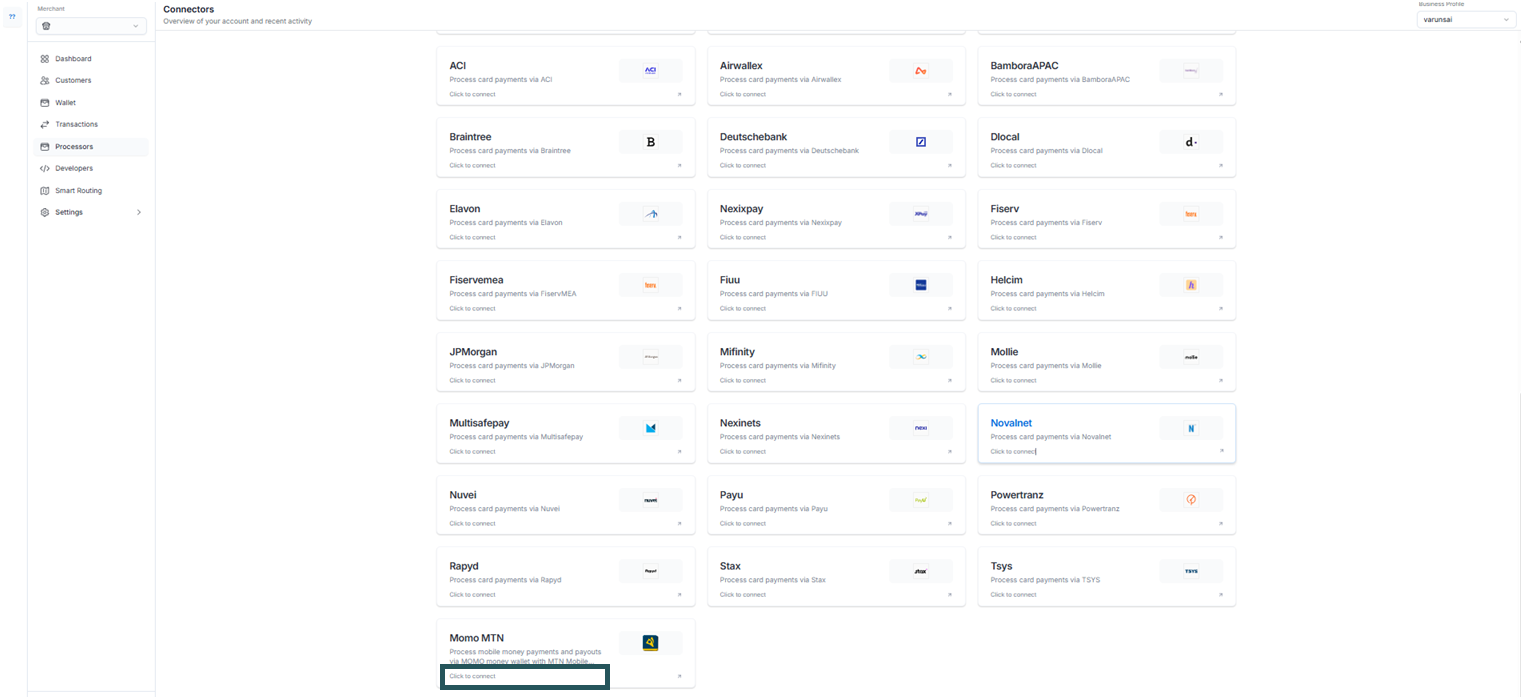
2. Profile Details
- Profile ID will be selected automatically in the Pesaswap Control Centre
- To change the profile, switch from the dropdown at the top right of the dashboard
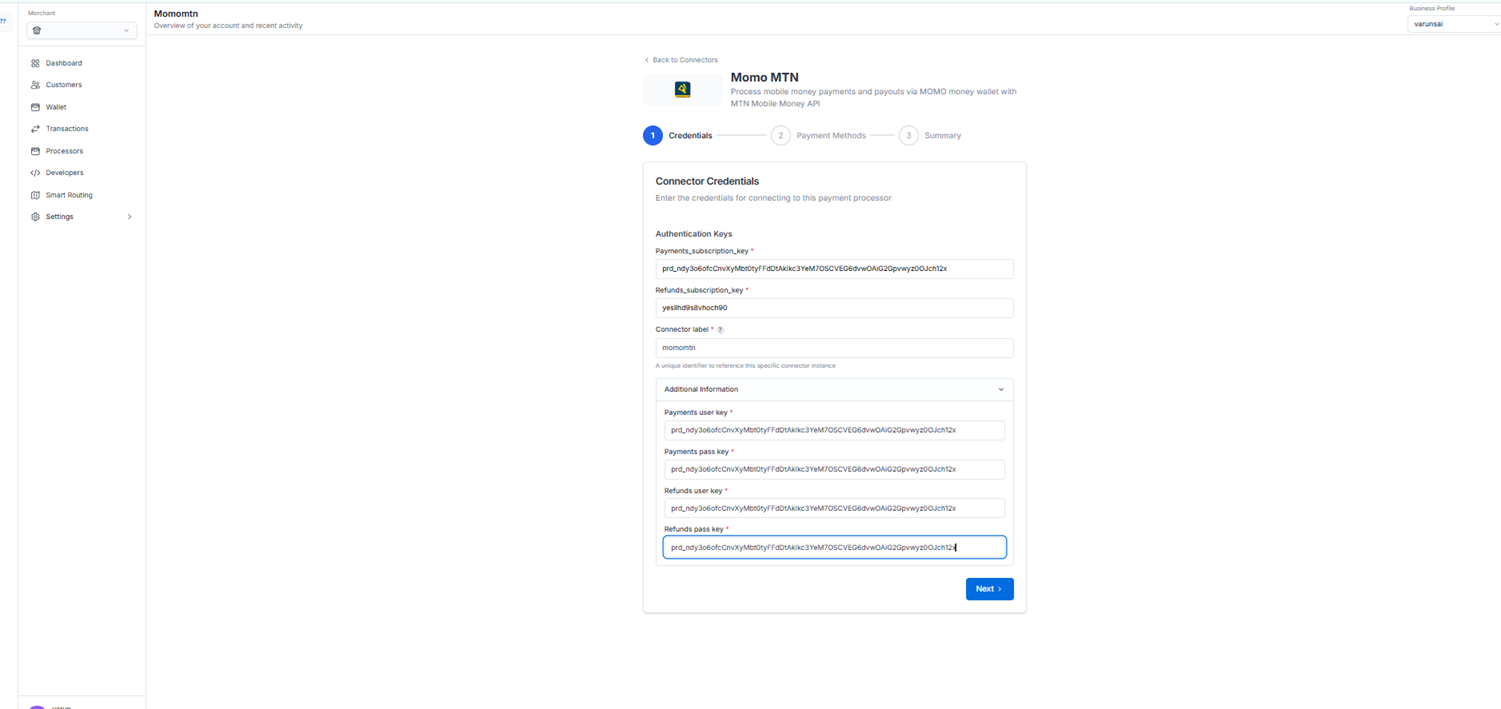
3. Configure the Connector Details
- Enter the required credentials for the selected connector obtained during signup or from the connector dashboard
- Define a unique identifier for the connector under your business profile
4. Enable Payment Methods
- Choose the payment methods for the demo checkout
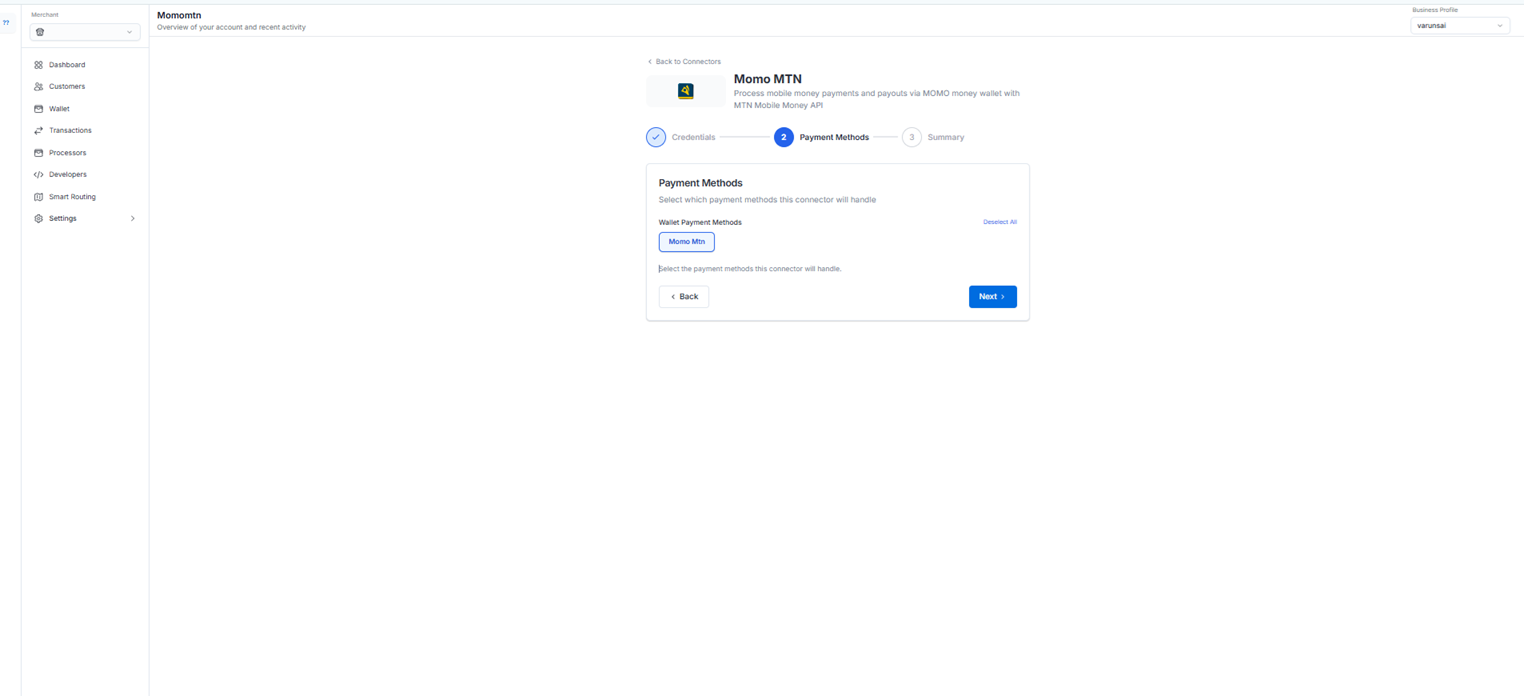
- Select all applicable payment methods that you want to support
5. Configure Webhooks (Optional)
- If the selected connector supports webhooks, copy the URL from Control Center
- Configure the webhook URL in the connector dashboard
- This ensures real-time payment status updates
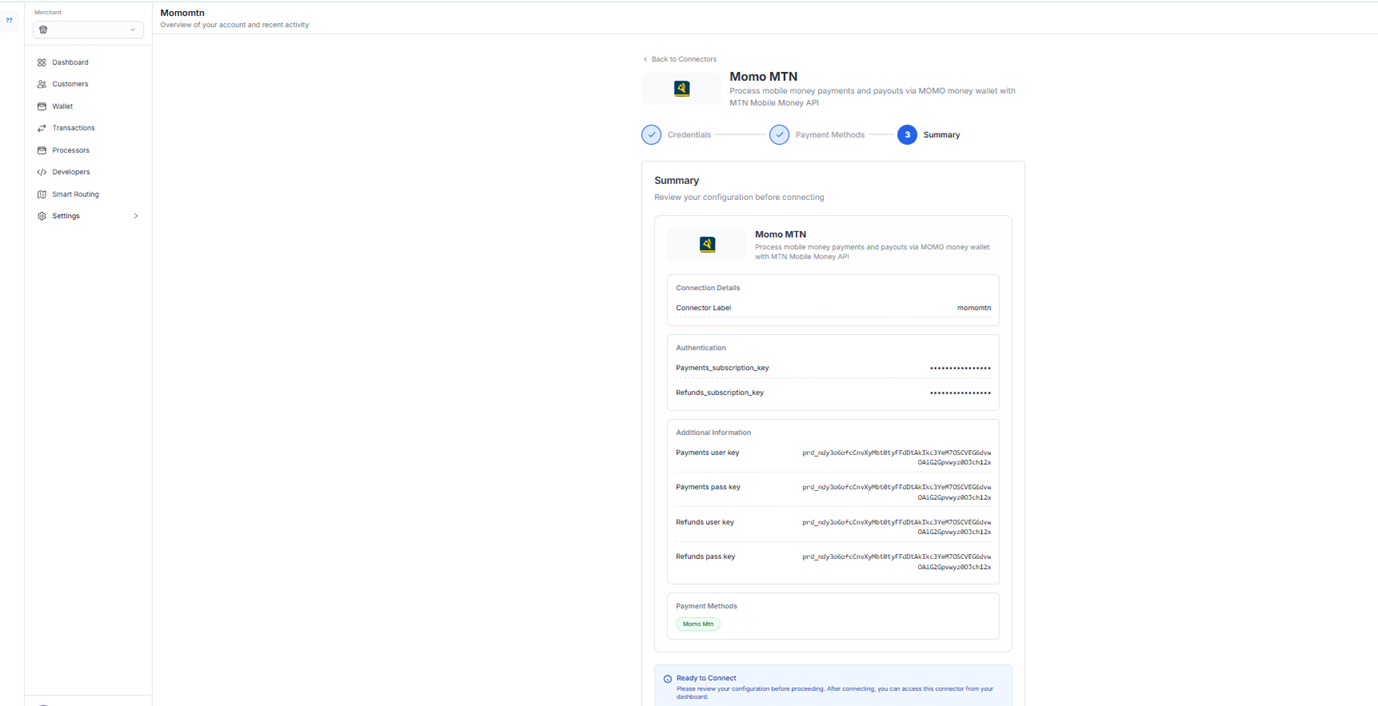
6. Try a Payment
- Test the integration with a demo payment
- Verify that all configured payment methods work correctly
- Check webhook functionality if configured
Edit Connector Credentials on the Pesaswap Control Center
To update connector credentials on Pesaswap, you will need to re-enter all the fields required for credentials.
Steps to Update Credentials
1. Access Connectors Section
- Navigate to the Connectors section on the Control Center
- Find all the existing connector integrations for the selected profiles
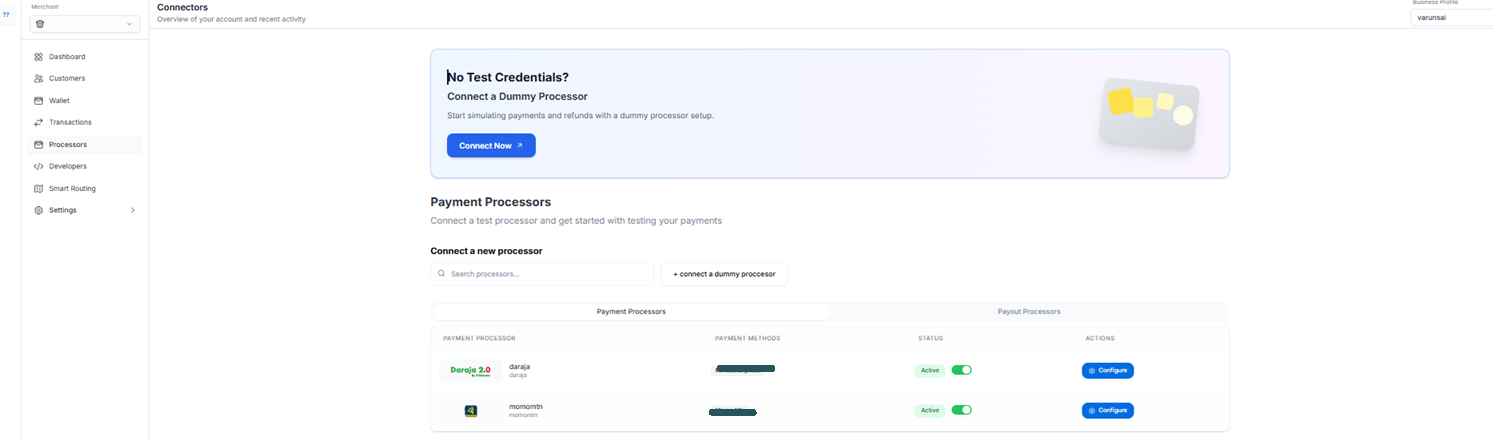
2. Profile Details
- Profile ID will be selected automatically in the Pesaswap Control Centre
- To change the profile, switch from the dropdown at the top right of the dashboard
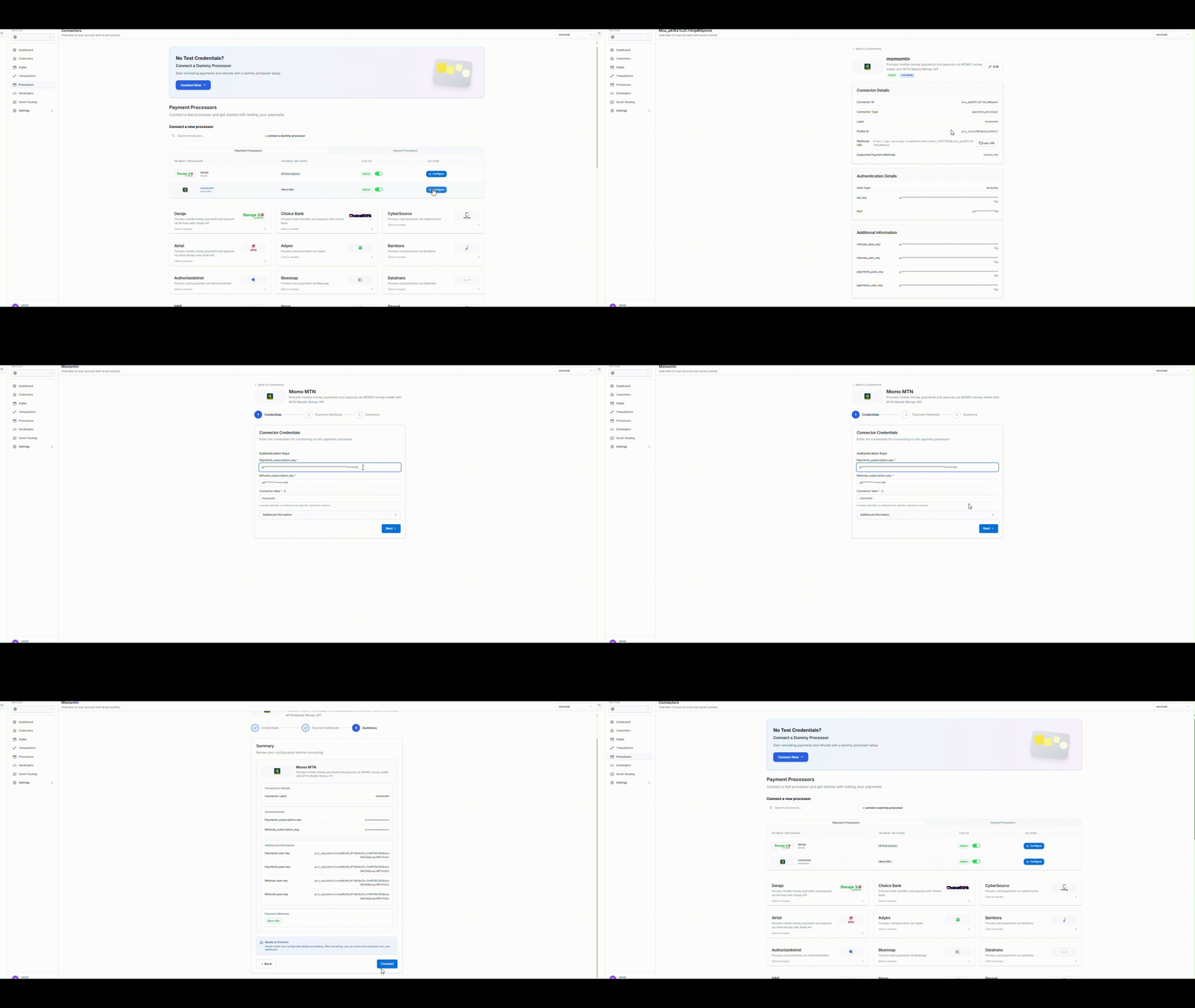
3. Update the Credentials
- Click on the edit icon alongside the API keys
- This will open a pop-up window to enter the credentials for the connectors
- Fill in all required credential fields
- Save the updated configuration
Important Notes
- Credential Security: Always ensure your API keys and credentials are kept secure
- Testing: Test your connector after any credential updates
- Backup: Keep a record of your previous working credentials before making changes
- Support: Contact Pesaswap support if you encounter issues during configuration
Troubleshooting
Common Issues
- Invalid Credentials: Double-check all API keys and secrets
- Webhook Configuration: Ensure webhook URLs are correctly configured in both systems
- Payment Method Conflicts: Verify that selected payment methods are supported by the connector
- Profile Mismatch: Confirm you’re working with the correct business profile
Getting Help
- Check the Pesaswap documentation for connector-specific guides
- Contact support through the Control Center help section
- Review connector logs for detailed error information