Pesaswap supports multiple ways to save a customer’s payment method, especially useful for recurring or future payments:
- Saving for future customer on-session payments (COF-CIT)
- Saving for future customer off-session payments (MIT)
Saving a payment method for future on-session payments (COF CIT)
To improve conversion rates and eliminate friction for the customer during checkout, you can save the customer’s card so that they wouldn’t have to enter the card details every time. This also minimises the risk of the customer entering incorrect card details.
Saving for future on-session payments implies that the customer will be available online during the checkout and can authenticate the payment by entering CVV or complete 3DS verification. These are known as Card-on-File Customer Initiated Transactions (COF-CIT).
This is typically limited for card payment methods and not for wallets (viz. Apple Pay) and other APMs.
For saving a customer’s payment method used in a successful transaction:
Pass the following field in the /payments create request to indicate your intention to save the payment method
How to Save:
1. Include in /payments create request:
{
"setup_future_usage": "on_session"
}
2. Include customer consent in /payments/:id/confirm request:
{
"customer_acceptance": {
"acceptance_type": "online",
"accepted_at": "1963-05-03T04:07:52.723Z",
"online": {
"ip_address": "127.0.0.1",
"user_agent": "Mozilla/5.0"
}
}
}
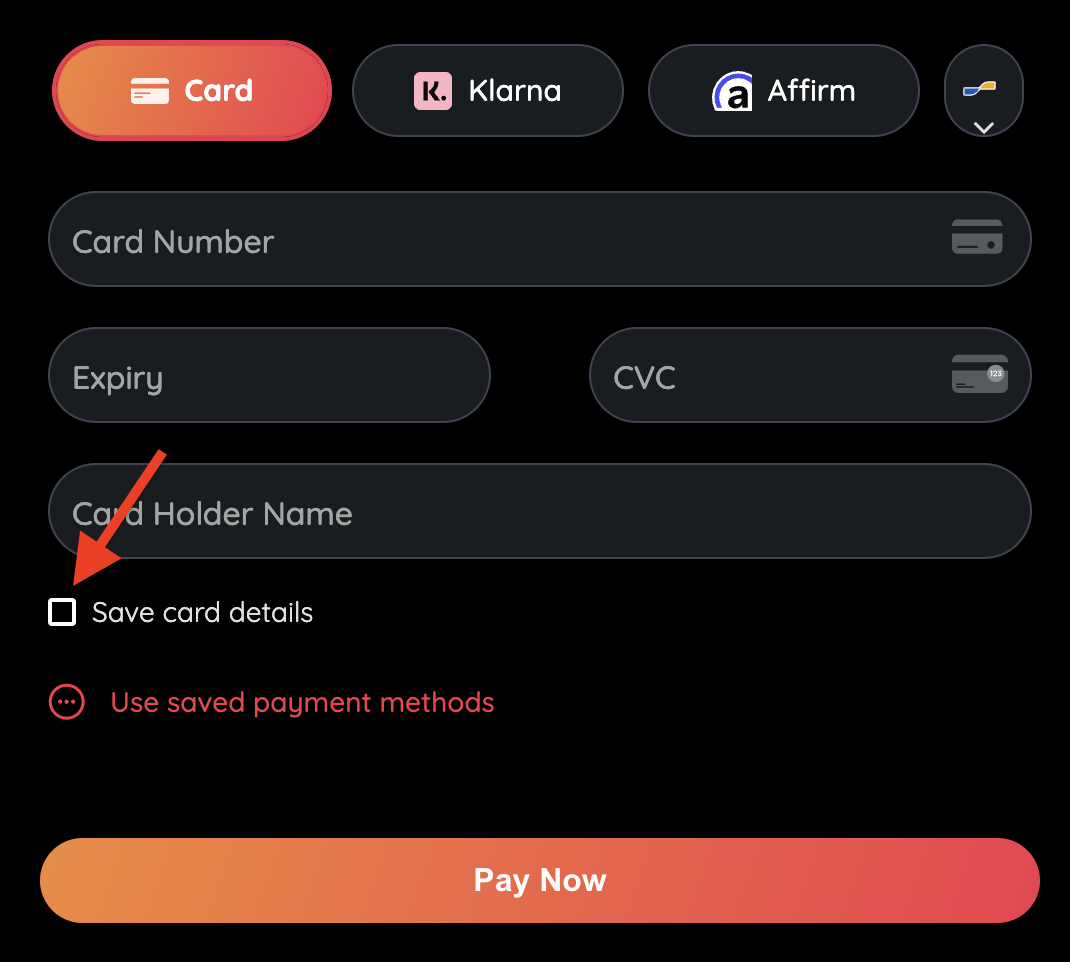
If you are using the Pesaswap SDK, the customer_acceptance is sent in the /payments/:id:/confirm request on the basis of customer clicking the save card radio button. Note: Ensure to enable this functionality using the displaySavedPaymentMethodsCheckbox property during SDK integration.
Save for Future Off-Session Payments (MIT)
This is used when the customer is not present (off-session) during payment. Common in subscription or invoice scenarios.
How to Save:
1. Include in /payments create request:
{
"setup_future_usage": "off_session"
}
2. Include customer consent in /payments/:id/confirm:
{
"customer_acceptance": {
"acceptance_type": "online",
"accepted_at": "1963-05-03T04:07:52.723Z",
"online": {
"ip_address": "127.0.0.1",
"user_agent": "Mozilla/5.0"
}
}
}
3. Retrieve and store the payment_method_id:
curl --location 'https://sandbox.pesaswap.io/payments/{payment_id}' \
--header 'Accept: application/json' \
--header 'api-key: <your-api-key>'
Use a Saved Payment Method for MIT
To charge a customer later using a previously saved payment method:
In /payments create request:
{
"off_session": true,
"recurring_details": {
"type": "payment_method_id",
"data": "pm_lmTnIO5EdCiiMgRPrV9x"
}
}
Use the payment_method_id retrieved from the previous successful save.
List Saved Payment Methods
curl --request GET \
--url https://sandbox.pesaswap.io/customers/{customer_id}/payment_methods \
--header 'api-key: <your-api-key>'
Process MIT Payments Without Saving
If you’re PCI-compliant and already have the customer’s card details:
Use the card + network transaction ID:
{
"off_session": true,
"recurring_details": {
"type": "network_transaction_id_and_card_details",
"data": {
"card_number": "4242424242424242",
"card_exp_month": "10",
"card_exp_year": "25",
"card_holder_name": "Joseph Doe",
"network_transaction_id": "MCC5ZRGMI0925"
}
}
}
Use routing with supported connectors:
{
"routing": {
"type": "single",
"data": {
"connector": "cybersource",
"merchant_connector_id": "mca_VRmwU23zUmlmgAPrJ8rF"
}
}
}
Currently supported by Stripe, Adyen, and Cybersource. For additional connector support, submit a feature request.
FAQ
Q: How can I vault a payment method without charging the customer?
You can use Zero Amount Authorization to authenticate and store a card without charging it. Ideal for onboarding flows.
Refer to Zero Amount Authorization for implementation details.