

Overview
The Customers feature allows you to store and manage profiles for individuals or businesses that make payments to you. Create reusable customer records to simplify checkout, enable recurring billing, and track customer-specific analytics.Creating customers
Via dashboard
- Navigate to Customers in your dashboard sidebar
- Click Create Customer
- Enter the required information:
- Name (required)
- Email (required)
- Phone (optional)
- Click Save
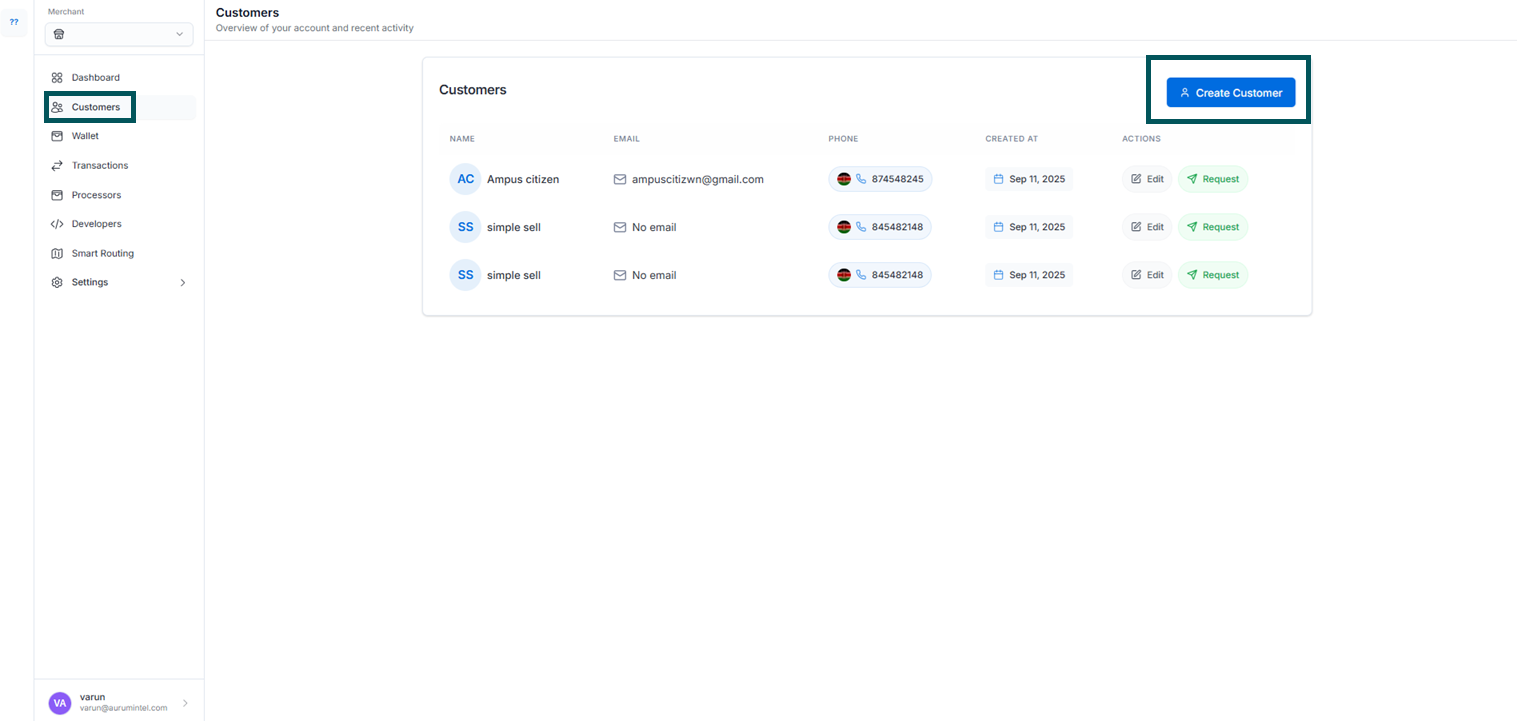
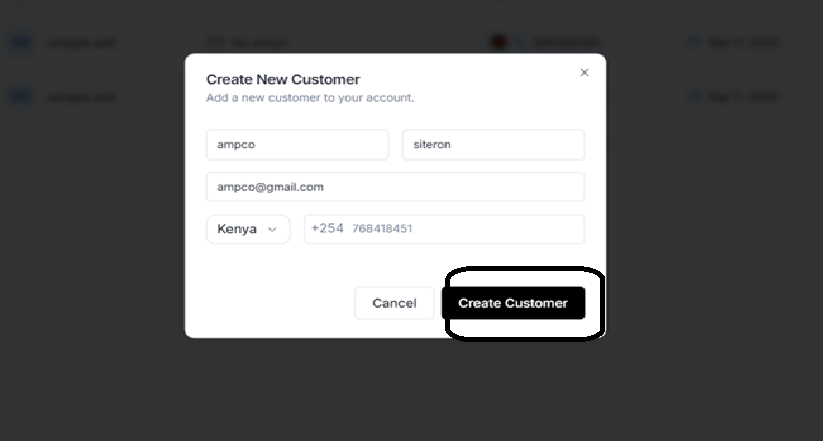 Your customer will appear in the customers list and be available for future transactions.
Via API
Create customers programmatically using the PeasSwap API:Managing customers
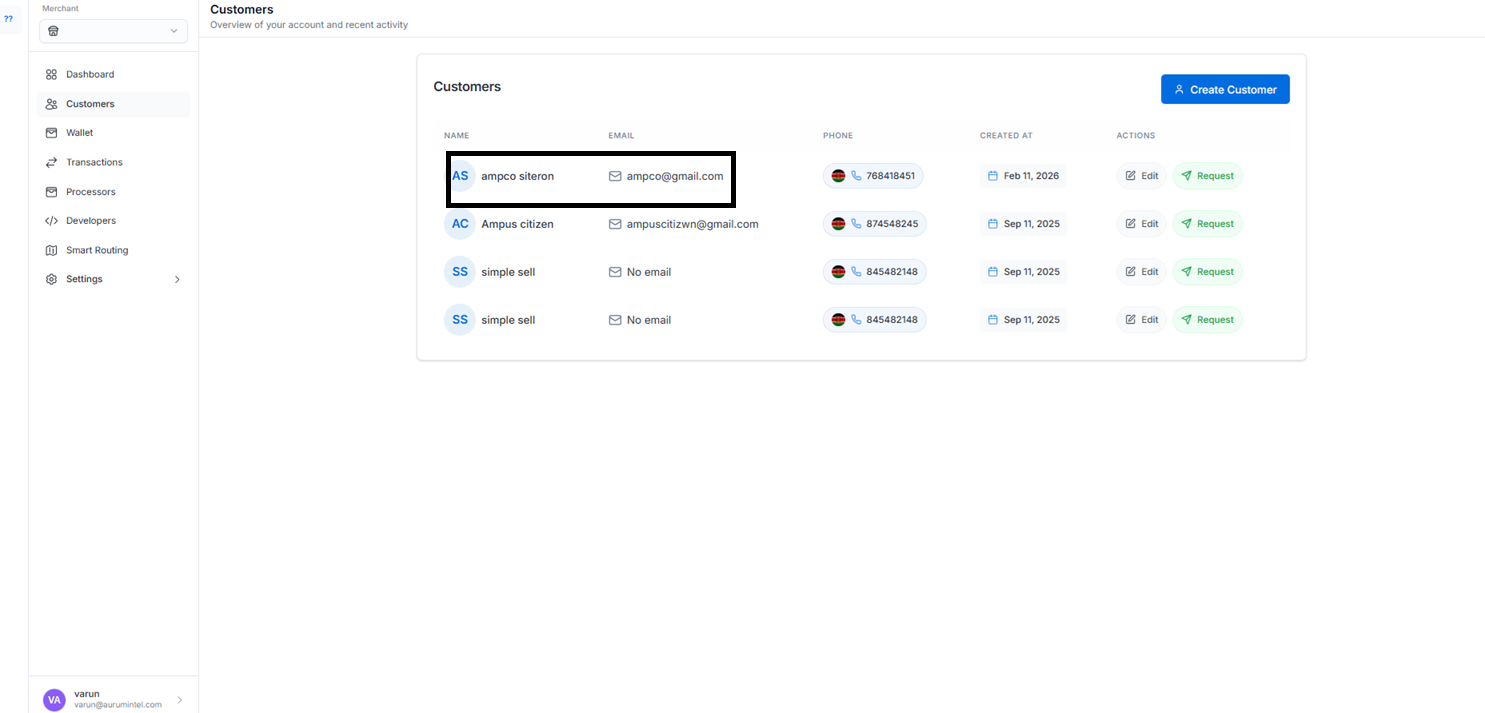
Viewing customers
Your customers appear in a searchable table with:- Name - Customer’s full name
- Email - Primary contact email
- Phone - Contact number (if provided)
- Created - Date customer was added
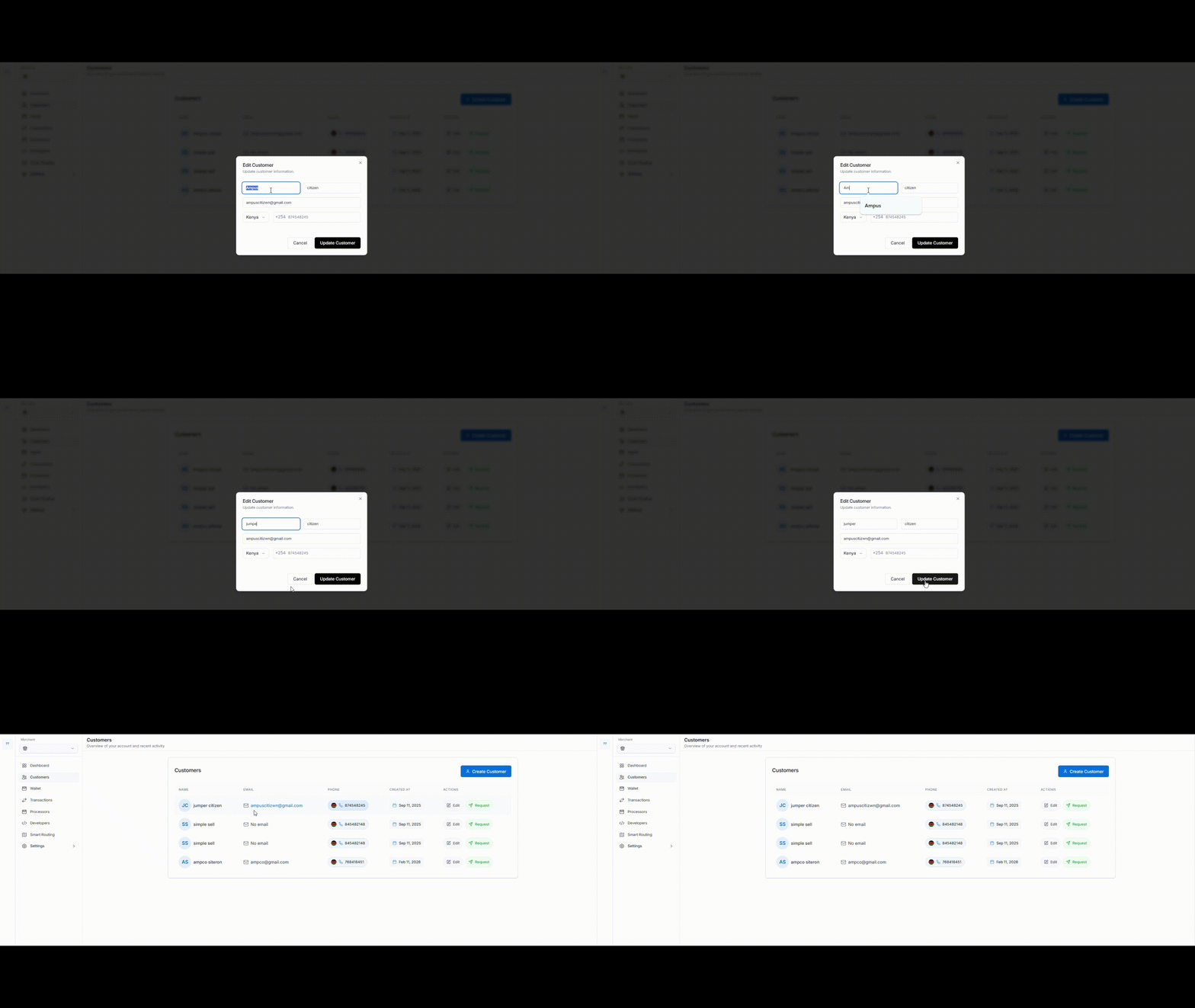
Updating customer information
- Click on any customer in the list
- Edit the fields you want to change
- Click Save changes
Deleting customers
- Select the customer you want to remove
- Click Delete customer
- Confirm the deletion
Note: Deleting a customer does not affect their past transactions or payment history.
Using customers in payments
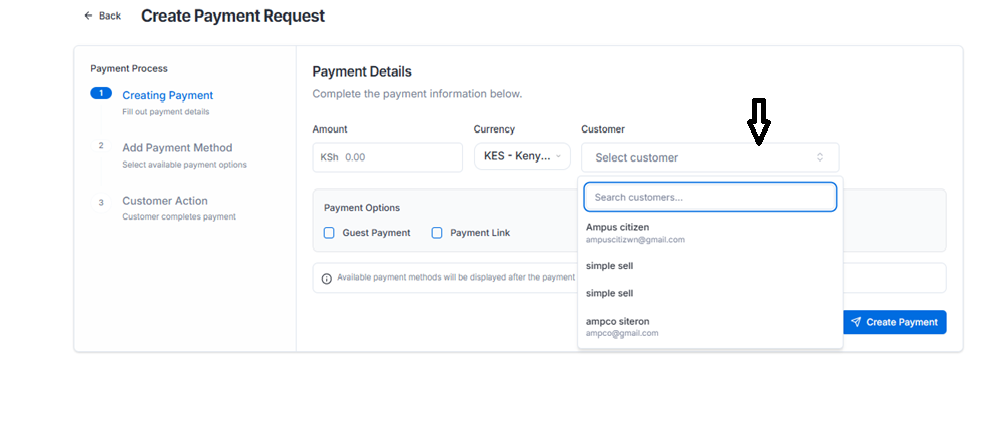
Linking customers to payments
When creating a payment, reference the customer ID:Retrieving customer payments
Get all payments for a specific customer:Recurring payments
Customers are required for:- Subscriptions - Automatic recurring billing
- Payment schedules - Planned future payments
- Saved payment methods - Stored cards or bank accounts
Customer analytics
Track important customer metrics in your dashboard:- Total payments - Lifetime transaction count
- Total volume - Sum of all payments
- Average transaction - Mean payment amount
- Last payment - Most recent transaction date
Best practices
Data quality
- Validate email addresses before saving
- Use consistent naming conventions
- Keep customer information current
- Remove duplicate profiles
Security
- Never store sensitive payment data in customer records
- Use secure API keys with appropriate permissions
- Implement proper access controls
Integration
- Create customers before their first payment when possible
- Use customer IDs consistently across your system
- Implement proper error handling for customer operations
Common use cases
SaaS platforms
E-commerce sites
Service providers
Troubleshooting
Customer creation fails
- Verify all required fields are provided
- Check that email format is valid
- Ensure API key has customer creation permissions
Customer not found
- Confirm the customer ID is correct
- Check that customer wasn’t deleted
- Verify you’re using the correct API environment
Duplicate customers
- Search existing customers before creating new ones
- Use email as a unique identifier in your system
- Consider implementing customer deduplication logic
API reference
Customer object
Endpoints
POST /v1/customers- Create a customerGET /v1/customers- List all customersGET /v1/customers/:id- Retrieve a customerPUT /v1/customers/:id- Update a customerDELETE /v1/customers/:id- Delete a customer
Next steps
- Review Webhooks to stay updated on customer events